

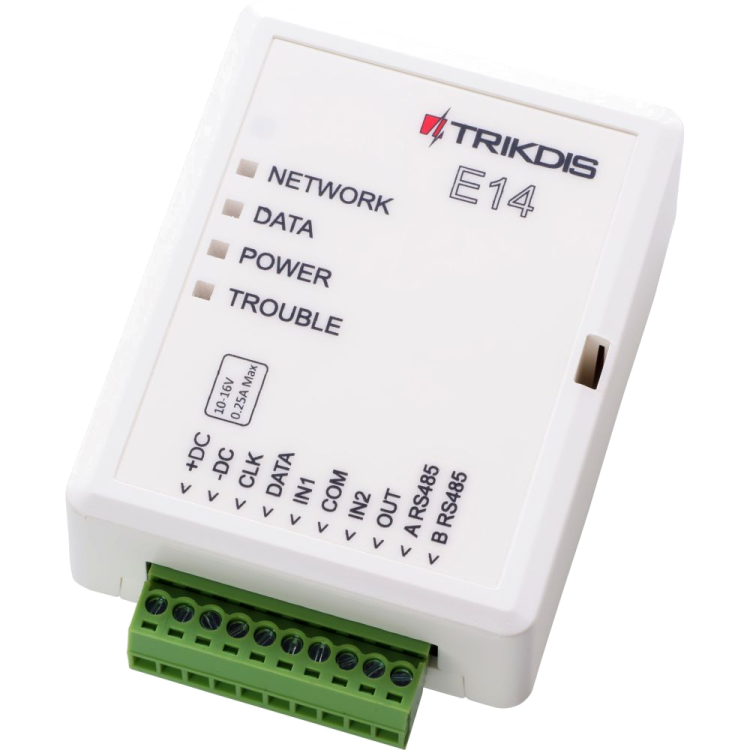
Trikdis E14 Ethernet smart communicator
- Manufacturer: Trikdis
- Item code: E14
- Availability: Discontinued
- Warranty: 2 years
- Categories: Discontinued Products

The E14 is an IP-based Ethernet alarm communicator compatible with Paradox, DSC, Caddx, Pyronix and other manufacturers' alarm systems, communicating directly via the data bus (DATA BUS) or serial port (SERIAL PORT). The alarm system can be remotely armed or disarmed from the owner's mobile app.
Key features:
- IP communicator operating over wired Ethernet, compatible with popular alarm control panels from major manufacturers
- Connects to the data bus or serial port rather than TIP RING — enabling sub-second message reading and transmission
- The owner receives alarm system events via the free Protegus 2 Mobile and Web application
- Free Protegus 2 server — no fixed IP or dynamic DNS required
- Transmits events to the monitoring station in Contact ID code format over IP
- 3 access levels: Administrator, Installer, User
- Fast and easy configuration via USB or remotely via Trikdis configuration software
- 2 contact inputs for additional zone connections
- 1 output for remote control, e.g. arming / disarming or gate control
- RS485 port for remotely monitored sensors or other compatible devices
- Automatic failover to backup channel on primary channel loss
What does data bus (or serial port) connection mean?
The connected device is essentially taught to read the alarm control panel's language (one-way connection). Like keypads or other peripherals, the communicator sees the events and forwards the relevant ones according to its settings.
Data bus compatible models
Can't find your panel in the list? The E16T communicator can connect to any other alarm control panel via TIP RING.
TIP!
If connecting to a Paradox or Secolink panel, we also recommend the CRP2 serial port cable.
Specifications
Communication
Inputs
Outputs
Programming
Users
Technical specifications
See the video below for E14 installation and setup with a DSC PowerSeries PC1864 panel
Tags
Frequently asked questions
Protegus 2 is the 2nd generation of Trikdis's cloud app: control your alarm system from your phone and get instant notifications. We recommend it for every current internet-connected Trikdis device. The user app is free; the paid, usage- (customer-) based tier is for monitoring stations, installers and companies.
Yes, using the TrikdisConfig programming software (via USB or remotely). The latest firmware is recommended for the best compatibility and security.
Yes: Protegus 2 can be tried on a live demo system, without installation or purchase — from a browser and from the mobile app too. This lets you see in advance what arming, notifications, and system status look like on a working alarm system.
Protegus 2 typically retains the event list for up to two months; with a large volume of events, this period may shorten to as little as one month.
The AUX power output of the Paradox SP4000 alarm panel has limited load capacity. In certain cases — whether using a dedicated or a universal TRIKDIS communicator — the communicator's current draw can place too much load on the AUX output. As a result, the communicator may become unstable, restart, or fail to operate correctly.
Experience shows that the problem is usually solved by powering the TRIKDIS communicator directly from the alarm panel's battery terminals (+/-) instead of from the AUX output. This provides a stable power supply and eliminates the restart or operational issues.
Note: Before changing the wiring, always check that the system complies with the manufacturer's specifications and that the total load on the power supply does not exceed the permitted value.