

DSC Power Series NEO and Trikdis Communicators: Compatibility and Solutions
Are DSC Power Series NEO systems compatible with Trikdis special communicators? Solutions and alternatives.
Trikdis special communicators (E16, G16, GT, GT+, GET) are among the most popular products, primarily due to their easy data bus installation.
A common question arises: are DSC Power Series NEO systems compatible with these communicators via data bus (serial) communication?
Unfortunately, the answer is no, and no solution is expected in the future, as DSC has completely ruled out this possibility in its new product lineup.
However, if you are looking for a communicator for a DSC Power Series NEO system, Trikdis universal solutions (E16T, G16T, GT, GT+, GET) provide the same functionality using a traditional telephone line (TIP-RING) connection. Monitoring communication is fully supported, so the user ultimately has access to the same interface and features.
If you also want to see arming and disarming in Protegus 2, reporting of these events has to be switched on separately on the NEO: DSC NEO: reporting of arming and disarming.
Related Articles

G16 – Direct Control for DSC PowerSeries Alarm Control Panels
- 26.06.2018
The G16 communicator supports direct bidirectional control of DSC PowerSeries alarm control panels.
Read More
Alarm Control Panel Direct Control via Data Bus or Serial Port
- 19.10.2018
Trikdis direct control via data bus or serial port: advantages, compatibility and available functions.
Read More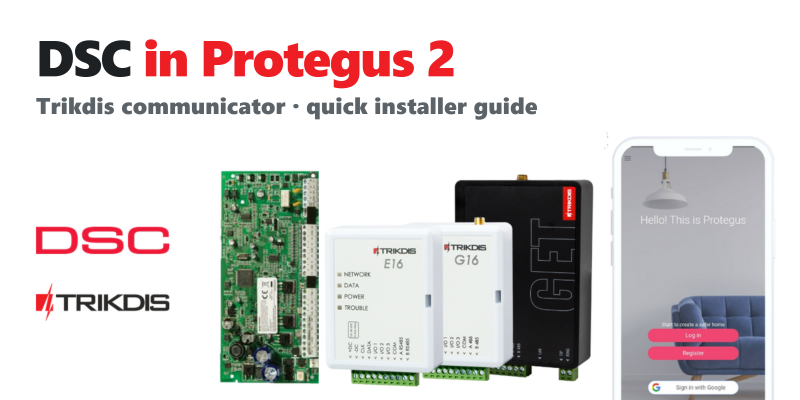
TRIKDIS Communicator + DSC Alarm Control Panel – Brief Installation Guide
- 19.01.2024
Brief installation guide for connecting a DSC alarm control panel with a TRIKDIS communicator and setting up the Protegus 2 application.
Read More
TRIKDIS Communicator + PARADOX Alarm Control Panel – Brief Installation Guide
- 26.02.2024
Brief installation guide for connecting a PARADOX alarm control panel with a TRIKDIS communicator and setting up the Protegus 2 application.
Read MoreRelated Products
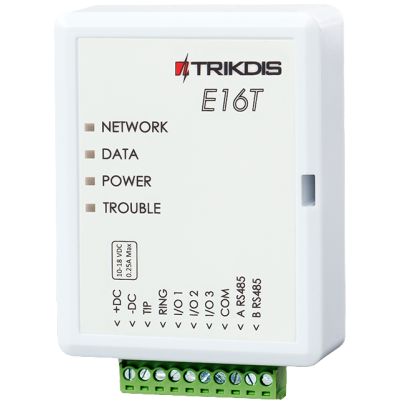
Trikdis E16T Ethernet universal communicator - IP module
Ethernet communicator with TIP-RING connection: works with any landline-type alarm panel, with monit..
€86.90 Ex Tax: €70.65
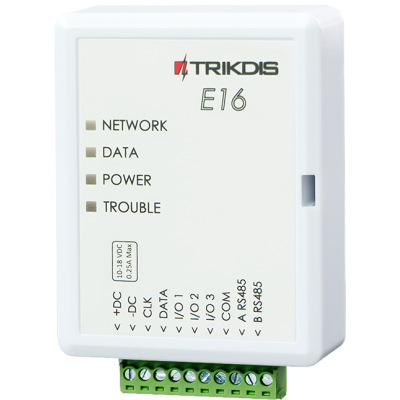
Trikdis E16 Ethernet Communicator - IP module
Ethernet smart communicator: forwards alarm events over the internet to the monitoring station, with..
€82.90 Ex Tax: €67.40
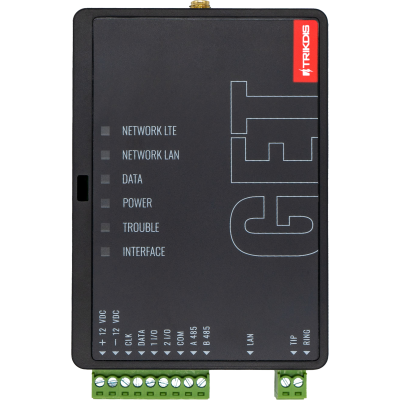
Trikdis GET Ethernet + 4G smart communicator
Ethernet + 4G smart communicator with dual communication: wired internet with mobile network backup...
€239.90 Ex Tax: €195.04
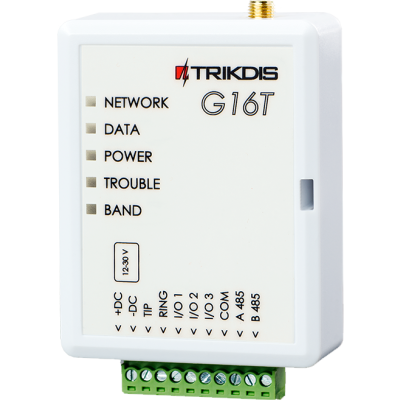
Trikdis G16T 4G GSM smart communicator (TIP-RING)
4G GSM communicator with TIP-RING connection: works with any landline-type panel, with monitoring st..
€174.90 Ex Tax: €142.20