


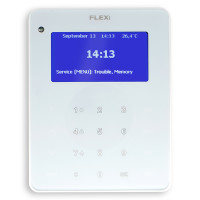
Trikdis SK-LCD Button keypad
- Brand: Trikdis
- Product Code: SK-LCD-B
- Availability: In Stock
- Warranty: 2 years
- Categories: Smart Alarm System > Accessories > Keypad

-
€67.90 Ex Tax: €55.20
How to Connect Trikdis SK-LCD & SK-LED Button Keypads to the FLEXi SP3 Panel
This video shows how to connect the Trikdis SK-LCD and SK-LED keypads to the FLEXi SP3 control panel. The keypads are exclusively compatible with FLEXi SP3 and work immediately after powering on, with no additional programming required.
The FLEXi SK-LCD Button is a reliable and user-friendly keypad with an LCD display and physical buttons for the FLEXi SP3 alarm system control panel.
Key Features:
- Icon-Based Display: Informative LCD screen with intuitive icons for easy operation, regardless of language.
- Easy-to-Use Keypad: Intuitive design ensures hassle-free operation.
- Essential Functions: Trouble indication, zone bypass, and alarm memory.
- User Management: Easily add new users directly from the keypad.
- Customizable Settings: Adjustable brightness and volume to suit user preferences.
- Reliable Performance: Ensures flawless operation in various environments.
- Energy-Saving Standby Mode: Turn off LCD lighting for a peaceful environment.
This keypad is an excellent solution for security systems in apartments, houses, vacation homes, offices, and retail spaces. With its simple interface and customizable settings, it offers a user-friendly experience, making it an ideal choice for professional installers.
Keypad Properties
Technical data
Related Products

Related Articles
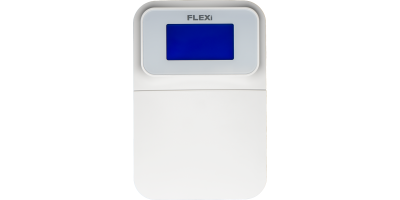
Trikdis FLEXi Keypad SK-LCD button – Brief User Guide
- 01/07/2025
Quick user guide for the Trikdis FLEXi SK-LCD button keypad: arming, disarming, code management, zone bypass, emergency functions and symbols.
Read MoreTags:
Frequently asked questions
A Security panel or Control panel is the primary controller and supervisor of a security system.
Typically, a keypad is located at the entrance, which allows arming and disarming the alarm system and informs you of the current state of the system.
Hopefully not. Basically, the phone should be protected from any access by using a password or pattern or fingerprint. In addition, you can use password request when you start the Protegus application and also when you want remotely control something.