


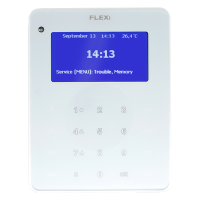
Trikdis SK-LCD Button keypad
- Manufacturer: Trikdis
- Item code: SK-LCD-B
- Availability: In Stock
- Warranty: 2 years
- Categories: Smart Alarm System > Accessories > Keypad

-
€69.90 Ex Tax: €56.83
How to Connect Trikdis SK-LCD & SK-LED Button Keypads to the FLEXi SP3 Panel
This video shows how to connect the Trikdis SK-LCD and SK-LED keypads to the FLEXi SP3 control panel. The keypads are exclusively compatible with FLEXi SP3 and work immediately after powering on, with no additional programming required.
The FLEXi SK-LCD Button is a reliable and user-friendly keypad with an LCD display and physical buttons for the FLEXi SP3 alarm system control panel.
Key Features:
- Icon-Based Display: Informative LCD screen with intuitive icons for easy operation, regardless of language.
- Easy-to-Use Keypad: Intuitive design ensures hassle-free operation.
- Essential Functions: Trouble indication, zone bypass, and alarm memory.
- User Management: Easily add new users directly from the keypad.
- Customizable Settings: Adjustable brightness and volume to suit user preferences.
- Reliable Performance: Ensures flawless operation in various environments.
- Energy-Saving Standby Mode: Turn off LCD lighting for a peaceful environment.
This keypad is an excellent solution for security systems in apartments, houses, vacation homes, offices, and retail spaces. With its simple interface and customizable settings, it offers a user-friendly experience, making it an ideal choice for professional installers.
Keypad Properties
Technical data
Related Products



Tags
Frequently asked questions
Typically, a keypad is located at the entrance, which allows arming and disarming the alarm system and informs you of the current state of the system.
You can choose from three keypads: SK-LED Button (LED display + physical buttons, entry level), SK-LCD Button (LCD display + physical buttons), and FLEXi LCD (touch, blue LCD, full menu, 8 partitions). The FLEXi LED touch-button keypad is being discontinued and is only available in limited (single-unit) stock.
The LED keypad provides basic functions (arming, fault indication, zone bypass, alarm memory) with light signals and physical buttons — simple, affordable, and typically able to display up to 2 partitions. The LCD keypad shows system status, zones, faults, even temperature and multiple partitions on a text display — more convenient for daily use and overview.
Related Articles

SK-LCD Button keypad – brief user guide
- 02/11/2026
Brief user guide for the Trikdis SK-LCD Button push-button keypad with display, for the FLEXi SP3 alarm control panel: the display and the keys, arming and disarming, Sleep and Stay mode, user codes, zone bypass, emergency alarms, light and sound levels, the symbols on the display.
Read More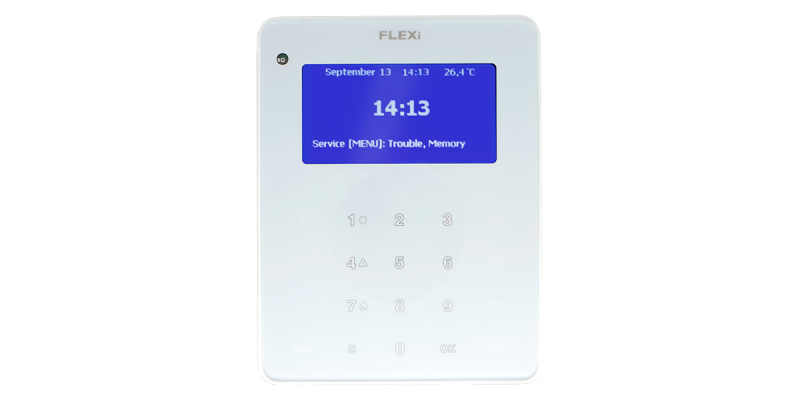
“FLEXi” SP3 alarm control panel – user manual
- 06/11/2026
User manual for the Trikdis “FLEXi” SP3 alarm control panel: arming and disarming from the keypad, from the Protegus 2 app, with a key or a card, by SMS and by phone call; managing users, alarms and troubles.
Read More