


Trikdis IO-LORA wireless expander module
- Manufacturer: Trikdis
- Item code: iO-LORA
- Availability: In Stock
- Warranty: 2 years
- Categories: Smart Alarm System > Accessories > Wireless Devices > Expander Module

-
€64.90 Ex Tax: €52.76
The wireless Trikdis IO-LoRa expansion module is primarily designed for control purposes (opening garage doors, gates, barriers, starting pumps). It's the perfect solution if wiring hasn't been prepared for the FLEXi SP3 control panel and control of something is required at a remote location.
Features
Communication:
- In line of sight, the range can reach up to 5000 meters.
- Up to 8 IO-LoRa wireless expanders can be connected to the FLEXi SP3 control panel.
Inputs and outputs:
- 1-Wire bus: for connecting a temperature sensor (1 pc) or electronic key ("iButton") readers.
- 1 input, selectable type: NC, NO.
- 1 output (relay).
Connection:
- The IO-LoRa wireless expander connects to the FLEXi SP3 control panel via the RF-LoRa transceiver.

Building a wireless or hybrid system?
The Trikdis RF-LORA wireless transceiver is the central element of the Trikdis wireless family. By connecting an RF-LORA to the Trikdis FLEXi SP3 control panel, you can build a wireless or hybrid (= mixed: wired and wireless) alarm system. These wireless devices can be sensors, sirens, panic buttons, or remote expansion modules with inputs (zones) or controllable outputs (PGMs), anything that might be needed for a smart alarm system.
Compatible devices with RF-LORA
- IO8-LORA - wireless expander with 8 contact (all contact can be chosen as input or output)
- IO-LORA - wireless expander with built in relay (mostly used for gates, doors, barriers, garage doors)
- PB-LORA - wireless panic button (use up to 250 panic buttons in one system )
- M4-MAG - wireless magnetic door contact
- M4-PIR - wireless Indoor PIR
- M4-SMK - wireless smoke detector
- M4-SIREN - wireless outdoor siren
- M4-EXTENDER - wireless signal repeater (range extender)

About LoRa technology in general
LoRa devices are revolutionizing the Internet of Things (IoT) by enabling data communication over longer distances than usual while consuming very little energy. LoRa is ideal for applications that transmit small amounts of data at low bit rates, and the data can be transmitted over longer distances than WiFi, Bluetooth, or ZigBee. It is also an ideal choice in places where the mobile network is too expensive and Wi-Fi coverage is not available.
LoRa is already widely used in street lighting, parking, buildings, smart metering and fleet management. The LoRa solution provides an intelligent sensor and control security system that allows connected devices to be easily controlled and receive messages in order to make intelligent decisions about the services offered.
Trikdis chose LoRa communication technology because it allows messages to be transmitted over much greater distances than traditional wireless networks. In many cases, this can significantly reduce the cost of building a complex smart security system due to infrastructure investments, battery replacement and overall operational costs. Such a solution allows devices or sensors to be connected at a distance of up to 1-5 kilometers, sometimes even further. This technology also passes through obstacles more easily than traditional radio communication, so it confidently transmits the signal over thick concrete walls or even on the ground, naturally with some loss of distance.
Advantages of LoRa technology:
- Low cost installation and operation
- Flexible deployment model
- End-to-end security
- Low power consumption, longer battery life
- High coverage for IoT where speed and latency are not critical factors
- Long range that penetrates obstacles more easily
Communication
Compatible devices
Contacts (inputs and outputs)
Technical data
Related Products




Tags
Frequently asked questions
A Security panel or Control panel is the primary controller and supervisor of a security system.
Protegus 2 is the 2nd generation of Trikdis's cloud app: control your alarm system from your phone and get instant notifications. We recommend it for every current internet-connected Trikdis device. The user app is free; the paid, usage- (customer-) based tier is for monitoring stations, installers and companies.
Yes, using the TrikdisConfig programming software (via USB or remotely). The latest firmware is recommended for the best compatibility and security.
Yes: Protegus 2 can be tried on a live demo system, without installation or purchase — from a browser and from the mobile app too. This lets you see in advance what arming, notifications, and system status look like on a working alarm system.
Protegus 2 typically retains the event list for up to two months; with a large volume of events, this period may shorten to as little as one month.
The AUX power output of the Paradox SP4000 alarm panel has limited load capacity. In certain cases — whether using a dedicated or a universal TRIKDIS communicator — the communicator's current draw can place too much load on the AUX output. As a result, the communicator may become unstable, restart, or fail to operate correctly.
Experience shows that the problem is usually solved by powering the TRIKDIS communicator directly from the alarm panel's battery terminals (+/-) instead of from the AUX output. This provides a stable power supply and eliminates the restart or operational issues.
Note: Before changing the wiring, always check that the system complies with the manufacturer's specifications and that the total load on the power supply does not exceed the permitted value.
Related Articles
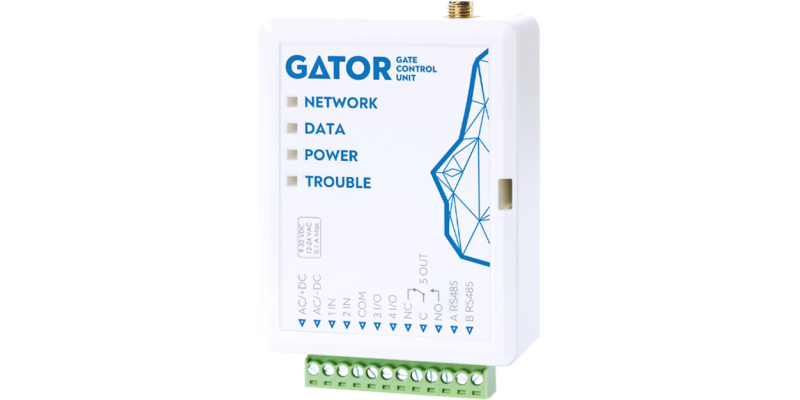
GV17 GATOR gate controller – installation and programming manual
- 06/11/2026
Installation and programming manual for the Trikdis GV17 GATOR gate controller: wiring, SIM and setup in TrikdisConfig, users and permissions, control by phone call, SMS and from the Protegus 2 app.
Read More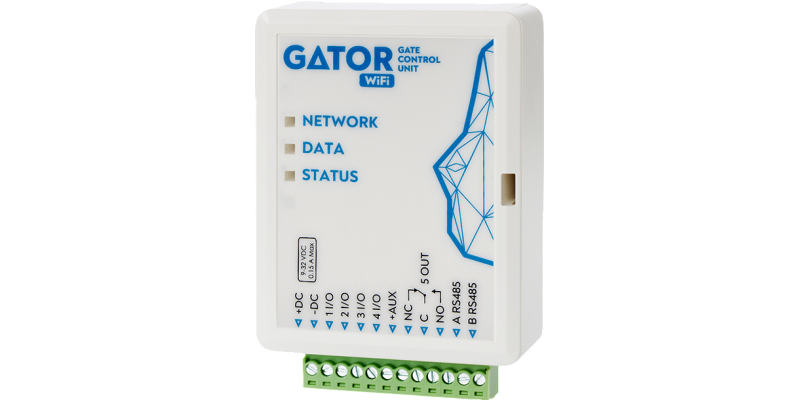
WP17 GATOR WiFi gate controller – installation and programming manual
- 06/11/2026
Installation and programming manual for the Trikdis WP17 GATOR WiFi gate controller: wiring, Wi-Fi setup, users and permissions, control from the Protegus 2 app.
Read More
CG17 alarm panel – installation and programming manual
- 30/10/2026
Installation and programming manual for the Trikdis CG17 cellular alarm panel: wiring and SIM, detectors, outputs, expanders, setup in TrikdisConfig, reporting to the monitoring station, Protegus 2, SMS commands and control by phone call.
Read More
iO-LORA wireless expander – installation and setup manual
- 30/10/2026
Installation and setup manual for the Trikdis iO-LORA wireless expander: wiring the input, the relay output, the temperature sensor and the iButton reader, adding it to the FLEXi SP3 in TrikdisConfig, use with the GATOR gate controller, indicator lights, frequently asked questions.
Read More
G17F fire communicator – installation and programming manual
- 02/11/2026
Installation and programming manual for the Trikdis G17F cellular fire communicator (EN 54-21): wiring to the outputs or to the RS485 bus of the fire alarm control panel (ESPA 4.4.4, NSC Solution, INIM Smartline, C-TEC Cast ZFP), setup in TrikdisConfig, monitoring station, Protegus 2, control by SMS and phone call.
Read More
FireCom fire communicator – installation and programming manual
- 02/11/2026
Installation and programming manual for the Trikdis FireCom Ethernet and 4G fire communicator (EN 54-21, EN 54-4): power supply and battery, connection to the fire alarm control panel's outputs or RS485 bus (ESPA 4.4.4, NSC Solution, INIM Smartline, C-TEC Cast ZFP, Polon-Alfa 3000), setup in TrikdisConfig, monitoring station, Protegus 2, control by SMS and call.
Read More