
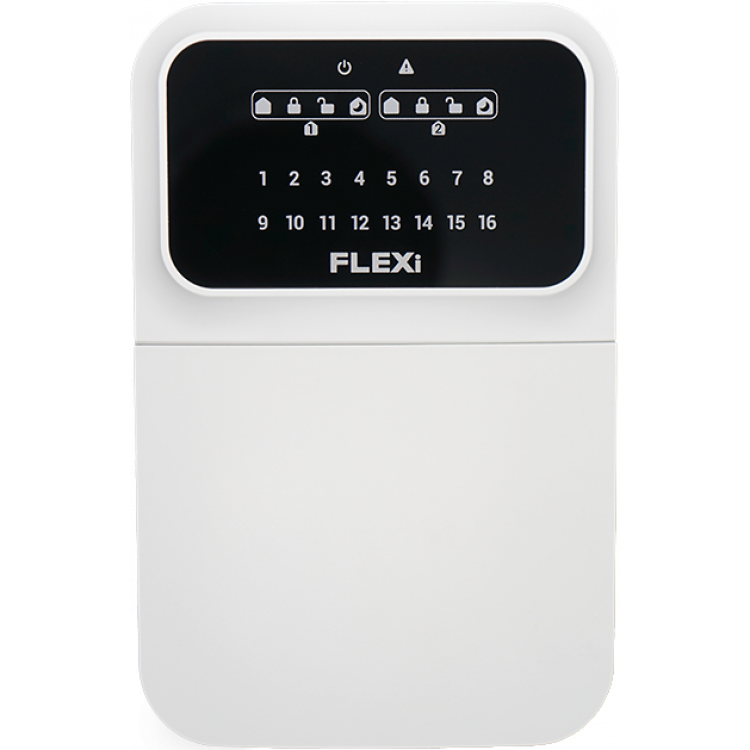
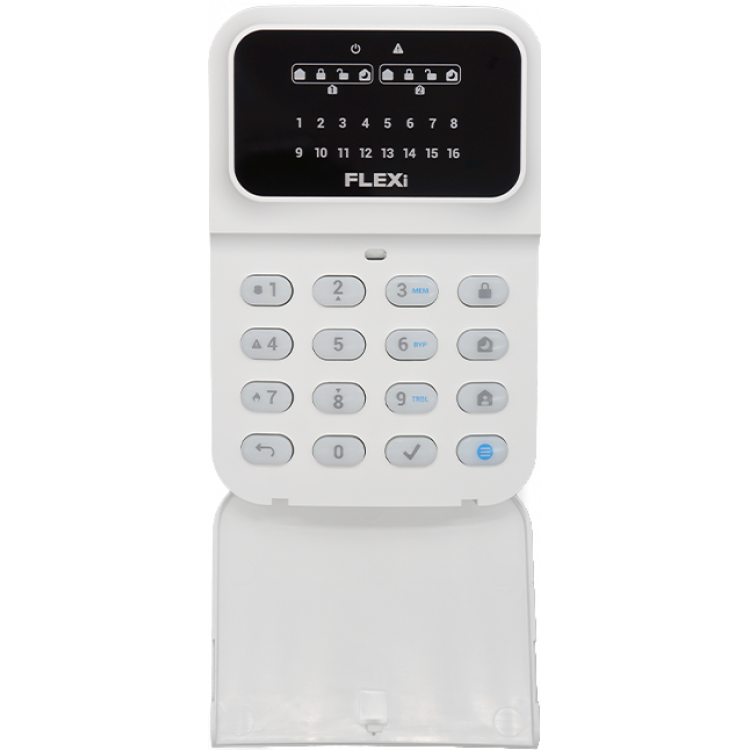
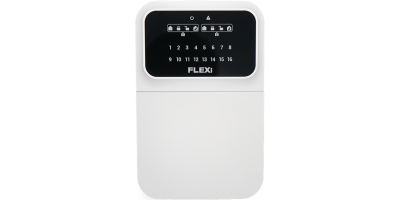
Trikdis SK-LED Button keypad
- Brand: Trikdis
- Product Code: SK-LED-B
- Availability: In Stock
- Warranty: 2 years
- Categories: Smart Alarm System > Accessories > Keypad

-
€58.90 Ex Tax: €47.89
How to Connect Trikdis SK-LCD & SK-LED Button Keypads to the FLEXi SP3 Panel
This video shows how to connect the Trikdis SK-LCD and SK-LED keypads to the FLEXi SP3 control panel. The keypads are exclusively compatible with FLEXi SP3 and work immediately after powering on, with no additional programming required.
The FLEXi SK-LED Button is a reliable and user-friendly keypad with an LED display and physical buttons for the FLEXi SP3 alarm system control panel.
Key Features:
- Easy-to-Use Keypad: Intuitive design ensures hassle-free operation.
- Essential Functions: Trouble indication, zone bypass, and alarm memory.
- User Management: Easily add new users directly from the keypad.
- Customizable Settings: Adjustable brightness and volume to suit user preferences.
- Reliable Performance: Ensures flawless operation in various environments.
- Energy-Saving Standby Mode: Turn off LED lighting for a peaceful environment.
This keypad is an excellent solution for security systems in apartments, houses, vacation homes, offices, and retail spaces. With its simple interface and customizable settings, it offers a user-friendly experience, making it an ideal choice for professional installers.
Keypad Properties
Technical data
Related Products

Related Articles
Trikdis FLEXi Keypad SK-LED button – Brief User Guide
- 10/07/2025
Quick user guide for the Trikdis FLEXi SK-LED button keypad: arming, disarming, code management, zone bypass and emergency functions.
Read MoreTags:
Frequently asked questions
A Security panel or Control panel is the primary controller and supervisor of a security system.
Typically, a keypad is located at the entrance, which allows arming and disarming the alarm system and informs you of the current state of the system.
Hopefully not. Basically, the phone should be protected from any access by using a password or pattern or fingerprint. In addition, you can use password request when you start the Protegus application and also when you want remotely control something.
Protegus 2 is the 2nd generation of Trikdis's cloud app: control your alarm system from your phone and get instant notifications. We recommend it for every current internet-connected Trikdis device. The user app is free; the paid, usage- (customer-) based tier is for monitoring stations, installers and companies.
Yes, using the TrikdisConfig programming software (via USB or remotely). The latest firmware is recommended for the best compatibility and security.
You can choose from three keypads: SK-LED Button (LED display + physical buttons, entry level), SK-LCD Button (LCD display + physical buttons), and FLEXi LCD (touch, blue LCD, full menu, 8 partitions). The FLEXi LED touch-button keypad is being discontinued and is only available in limited (single-unit) stock.
The LED keypad provides basic functions (arming, fault indication, zone bypass, alarm memory) with light signals and physical buttons — simple, affordable, and typically able to display up to 2 partitions. The LCD keypad shows system status, zones, faults, even temperature and multiple partitions on a text display — more convenient for daily use and overview.
Yes: Protegus 2 can be tried on a live demo system, without installation or purchase — from a browser and from the mobile app too. This lets you see in advance what arming, notifications, and system status look like on a working alarm system.
Protegus 2 typically retains the event list for up to two months; with a large volume of events, this period may shorten to as little as one month.
The AUX power output of the Paradox SP4000 alarm panel has limited load capacity. In certain cases — whether using a dedicated or a universal TRIKDIS communicator — the communicator's current draw can place too much load on the AUX output. As a result, the communicator may become unstable, restart, or fail to operate correctly.
Experience shows that the problem is usually solved by powering the TRIKDIS communicator directly from the alarm panel's battery terminals (+/-) instead of from the AUX output. This provides a stable power supply and eliminates the restart or operational issues.
Note: Before changing the wiring, always check that the system complies with the manufacturer's specifications and that the total load on the power supply does not exceed the permitted value.