

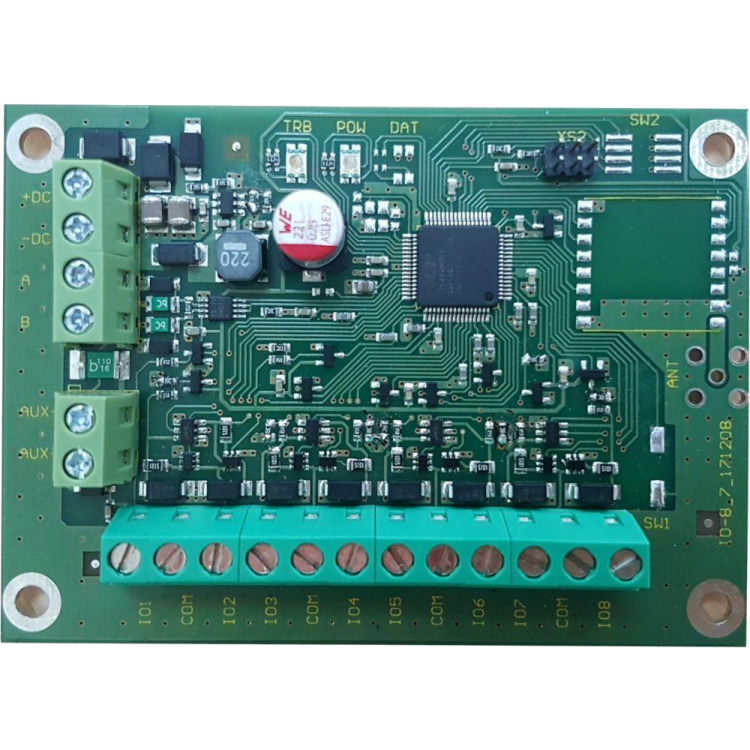
Trikdis iO8 wired expander module
- Manufacturer: Trikdis
- Item code: iO8
- Availability: In Stock
- Warranty: 2 years
- Categories: Smart Alarm System > Accessories > Expander Module

-
€46.90 Ex Tax: €38.13
With the Trikdis Expander IO8 wired expansion module, you can increase the number of inputs (zones) and outputs (PGMs) of the Trikdis FLEXi SP3 and CG17 alarm control panels, the E16, E16T, G16, G16T, G17F, GT and GT+ communicators, and the GV17 and WP17 GATOR gate controllers. The devices are connected via an RS485 port and contains 8 contacts that you are free to use as input (zone) or output (PGM).
By using a PGM output as an expander, you can further enhance the capabilities of your smart home: remote control and switching of garage doors, garden gates, heating, electricity, ventilation, irrigation systems or any contact-controlled device.
Using a zone expander you can connect additional wired sensors for your Trikdis device.
Key Features:
- Easy installation: just add its serial number in TrikdisConfig
- Configured via the Trikdis alarm control panelor communicator
- Contains eight contacts that can be programmed as inputs or outputs
Communication
Contacts (inputs and outputs)
Technical data
Related Products

Tags
Frequently asked questions
Yes. Both expanders have 8 I/O terminals that can each be set as an input or an output; as inputs, the ATZ, EOL, NC and NO types are available. With ATZ zone doubling one expander provides 16 alarm zones instead of 8. Several resistor values can be used in ATZ and EOL circuits, so the existing wiring and resistors can be kept.
Yes, both expanders support ATZ zone doubling.
The IO8-LORA (wireless, via the RF-LORA transceiver) and the IO8 (wired, over RS485) each have 8 I/O terminals, and every terminal can be set individually as an input (IN) or an output (OUT).
As inputs, the following types are available: ATZ, EOL, NC, NO. With ATZ zone doubling one expander provides 16 alarm zones instead of 8.
Several resistor values can be used in ATZ and EOL circuits, so the wiring and the resistors of an existing system (Paradox, DSC, BOSCH, Crow) can be kept — when replacing a panel the detectors do not have to be rewired.
The input type and the resistor values are set in the alarm panel, using the TrikdisConfig programming software. The number of zones is of course limited by the total zone capacity of the panel.
Related Articles
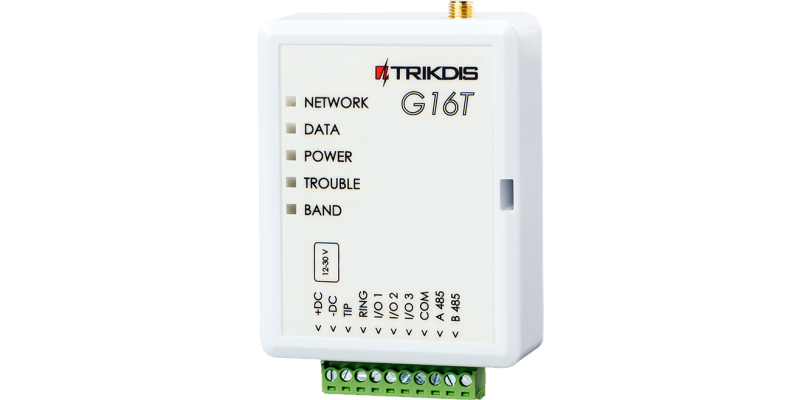
G16T communicator – installer and user manual
- 06/11/2026
Installer and user manual for the Trikdis G16T communicator: wiring to the alarm control panel, SIM and setup in TrikdisConfig, reporting to the monitoring station, the Protegus 2 app, testing and troubleshooting.
Read More
E16T communicator – installer and user manual
- 05/11/2026
Installer and user manual for the Trikdis E16T Ethernet communicator: connection to the alarm control panel, network setup in TrikdisConfig, reporting to the monitoring station, Protegus 2 app, testing and troubleshooting.
Read More
G16 communicator – installer and user manual
- 06/11/2026
Installer and user manual for the Trikdis G16 communicator: connection to the alarm control panel's data bus or serial port, programming the control panel, SIM and setup in TrikdisConfig, reporting to the monitoring station, the Protegus 2 app.
Read More
E16 communicator – installer and user manual
- 06/11/2026
Installer and user manual for the Trikdis E16 Ethernet communicator: connection to the alarm control panel's data bus or serial port, programming the panel, network setup in TrikdisConfig, reporting to the monitoring station, Protegus 2 app.
Read More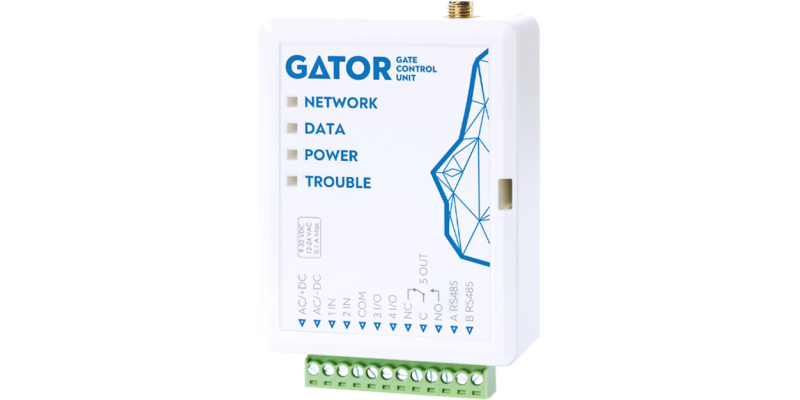
GV17 GATOR gate controller – installation and programming manual
- 06/11/2026
Installation and programming manual for the Trikdis GV17 GATOR gate controller: wiring, SIM and setup in TrikdisConfig, users and permissions, control by phone call, SMS and from the Protegus 2 app.
Read More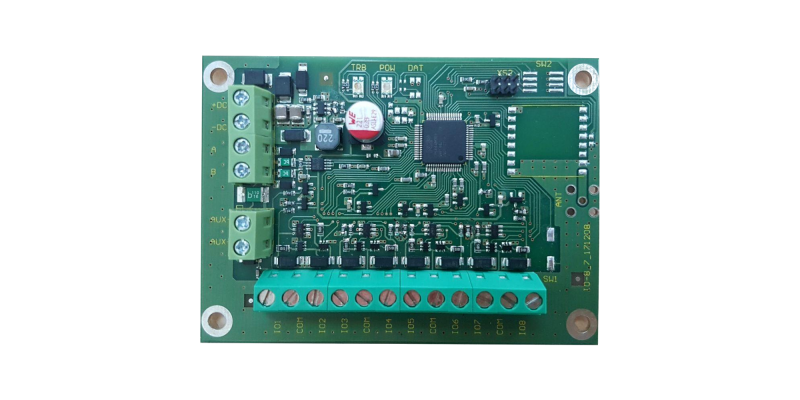
iO8 input and output expander – installation manual
- 02/11/2026
Installation manual for the Trikdis iO8 input and output expander: connection to the RS485 bus, setting up the inputs and outputs in the control panel or communicator, use from the Protegus 2 app.
Read More
GT and GT+ communicator – installer and user manual
- 02/11/2026
Installer and user manual for the Trikdis GT and GT+ communicators: connection to the alarm control panel's data bus, serial port or telephone line output, programming the control panel, setup in TrikdisConfig, reporting to the monitoring station, the Protegus 2 app.
Read More
CG17 alarm panel – installation and programming manual
- 30/10/2026
Installation and programming manual for the Trikdis CG17 cellular alarm panel: wiring and SIM, detectors, outputs, expanders, setup in TrikdisConfig, reporting to the monitoring station, Protegus 2, SMS commands and control by phone call.
Read More
G17F fire communicator – installation and programming manual
- 02/11/2026
Installation and programming manual for the Trikdis G17F cellular fire communicator (EN 54-21): wiring to the outputs or to the RS485 bus of the fire alarm control panel (ESPA 4.4.4, NSC Solution, INIM Smartline, C-TEC Cast ZFP), setup in TrikdisConfig, monitoring station, Protegus 2, control by SMS and phone call.
Read More
FireCom fire communicator – installation and programming manual
- 02/11/2026
Installation and programming manual for the Trikdis FireCom Ethernet and 4G fire communicator (EN 54-21, EN 54-4): power supply and battery, connection to the fire alarm control panel's outputs or RS485 bus (ESPA 4.4.4, NSC Solution, INIM Smartline, C-TEC Cast ZFP, Polon-Alfa 3000), setup in TrikdisConfig, monitoring station, Protegus 2, control by SMS and call.
Read More