

One application for all Trikdis devices


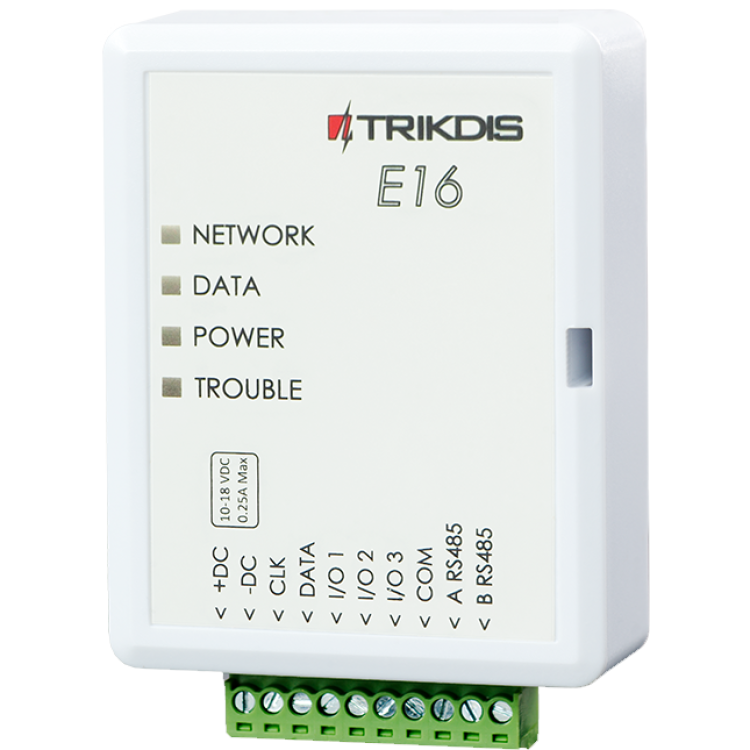

Trikdis E16 Ethernet Communicator - IP module
- Manufacturer: Trikdis
- Item code: E16
- Availability: In Stock
- Warranty: 2 years
- Categories: Alarm Communicator > Ethernet Communicator

-
€82.90 Ex Tax: €67.40
Connect E16 to Honeywell Vista + Protegus (Tutorial)
This video shows how to connect the TRIKDIS Ethernet communicator E16 to a Honeywell Vista 48 control panel and configure it with Protegus.
The Trikdis E16 Ethernet communicator works with Paradox, DSC and other manufacturers' alarm control panels, communicating directly via the data bus (DATA BUS) or serial port (SERIAL PORT).
Data is transmitted to the monitoring station and the user via the Protegus 2 mobile and web application over wired internet. Using the communicator, the alarm system can be remotely armed or disarmed from the owner's mobile app or browser, and connected devices can be controlled and monitored.


Trikdis communicators are excellent replacements for Paradox and DSC IP modules and SIM card communicators (e.g. Paradox IP150, IP150+, IP180, PCS250, PCS265LTE; DSC ENVISALINK4, TL / LE series).
What does Trikdis offer?
- Reliable operation
- Free Android, iPhone and web application
- Event monitoring
- Remote control (arming / disarming)
- Direct connection to the alarm control panel — for many compatible models
- IP and GSM/LTE communication in one device — dual path, multi-channel
Alarm control panels connectable via data bus or serial port – E16, G16
Die Trikdis E16, G16 are compatible with all the alarm control panels listed below . The main advantage of these specialized Trikdis communicators is that events are transmitted via the data bus or serial port.
Magellan MG5000, MG5050, MG5050+*, MG5075
DIGIPLEX EVO192*, EVOHD*, EVOHD+ (*Fw. above 7.50)
For direct control, the firmware of PARADOX panels must be at least version V.4.
* The serial port on the new marked alarm panels is locked at the factory. The port must be enabled before communication with an external device is possible.


Premier Elite 12, 24, 48, 64, 88, 168, 640

Magellan MG5050E
ESPRIT E55, 728ULT, 738ULT
DIGIPLEX EVO48



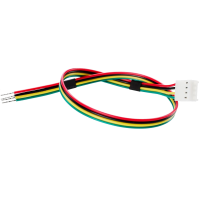
You'll Need a Cable for Connection
Connection to Data Bus or Serial Port, What Does This Mean?
In this case, the communicator is practically taught to understand the alarm panel's own language (one-way communication). Just like operators or other peripheral devices, the communicator sees events and will transmit the appropriate information according to the settings.
Direct Control
In the case of directly controllable panels, the communicator not only receives notifications from the panel but also a part of the functions available on the keypad becomes accessible (bidirectional communication).
- Activation / deactivation of the entire system or partition using a user code
- Detection of zone statuses
- Zone bypass
- Automatic mapping of partitions and zones

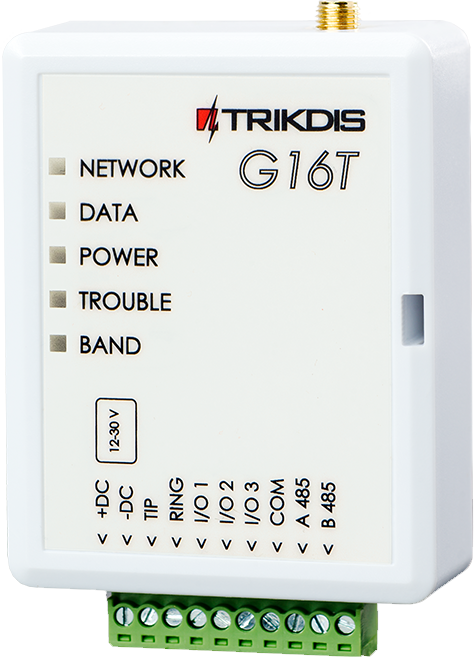


Main features:
- IP communicator working over Ethernet, compatible with popular alarm control panels from major manufacturers
- Uniquely connects not via TIP RING but via data bus or serial port — message reading and transmission takes less than a second
- Free Protegus 2 server — no fixed IP or dynamic DNS required
User features:
- The owner is notified of system events via the free Protegus 2 mobile and web application
- Push notifications and alarm sound for events and alerts
- Remote arming and disarming
Controllable outputs:
- 3 flexibly configurable contacts as input or output
- RS485 port for additional compatible expansion modules and devices
- Outputs controllable from the Protegus 2 application
- Remote control of connected devices (lighting, gate, ventilation, heating, irrigation, etc.)
Quick installation
- Settings can be saved to a file as a starting point for another device's configuration
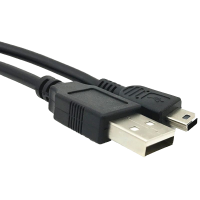
- Quick and easy configuration via USB or remotely after first setup using TrikdisConfig or Protegus 2
- 2 access levels: Administrator, Installer
Monitoring station connection:
- The module transmits messages in Contact ID format to the monitoring station via IP
- Compatible with universal SIA DC-09 and SUR-GUARD TL150 receivers
- Automatically switches to backup channel if primary channel connection is lost
- Signalling to up to two monitoring stations, each with a backup channel
Communication
To Protegus cloud, to iOS/Android Protegus mobile apps
Compatible devices
Contacts (inputs and outputs)
Programming
Users
Technical data
- E16 Hungarian installation guide (2.45MB)
- TrikdisConfig programming software (windows)
- E16, E16T GRADE 4 certification (282.4KB)
Related Products


Related Articles

Protegus Android / Iphone and web app
- 27/01/2018
The free Protegus mobile and web app lets you remotely manage your alarm system – compatible with any manufacturer.
Read More
Alarm Control Panel Direct Control via Data Bus or Serial Port
- 19/10/2018
Trikdis direct control via data bus or serial port: advantages, compatibility and available functions.
Read More
Installer Registration and Company Logo Setup in the Protegus App
- 06/03/2019
Step-by-step guide to Protegus installer registration and company logo setup – completed in 5–10 minutes.
Read More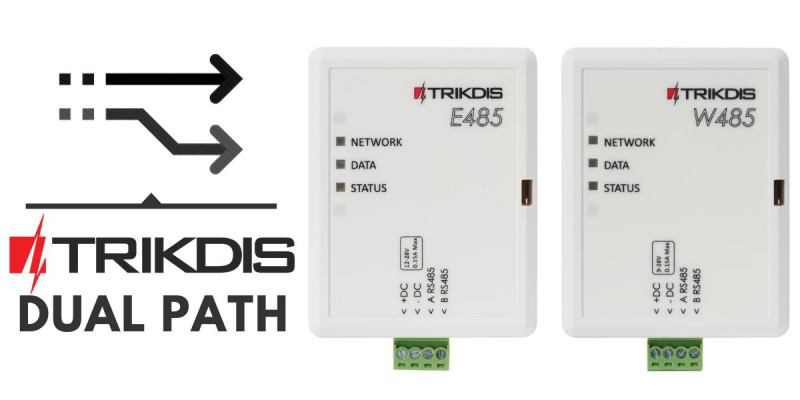
Dual Path – Redundant Channel Solutions from Trikdis
- 01/12/2019
Trikdis W485/E485 modules: redundant communication channel alongside GSM communicators, with lower data costs.
Read More
New to Trikdis? A Quick Introduction to the Products
- 28/08/2019
Quick overview of the Trikdis product family: communicators, alarm control panels, gate controllers and Protegus 2.
Read More
New Supported Protocol for Trikdis Communicators – Sur-Gard TL-150
- 08/02/2020
Trikdis communicators now support Sur-Gard TL-150 protocol – no IPcom virtual receiver required.
Read More
How to Add an IP Camera to Protegus 2
- 01/03/2022
How to add an IP camera live stream to the Protegus 2 app via RTSP link.
Read More
Protegus 2 Business Account Pricing
- 01/02/2025
Protegus 2 Business Account subscription pricing for installers – monthly and annual fees by number of systems.
Read More
Protegus 2 Browser Interface Renewed
- 30/11/2023
The renewed Protegus 2 browser interface and the new layout explained.
Read More
TRIKDIS Communicator + DSC Alarm Control Panel – Brief Installation Guide
- 19/01/2024
Brief installation guide for connecting a DSC alarm control panel with a TRIKDIS communicator and setting up the Protegus 2 application.
Read More
Try Protegus 2 on a Live System
- 20/02/2024
Try the Protegus 2 app on a real live system with test credentials.
Read More
TRIKDIS Communicator + PARADOX Alarm Control Panel – Brief Installation Guide
- 26/02/2024
Brief installation guide for connecting a PARADOX alarm control panel with a TRIKDIS communicator and setting up the Protegus 2 application.
Read More
DSC Power Series NEO and Trikdis Communicators: Compatibility and Solutions
- 01/03/2025
Are DSC Power Series NEO systems compatible with Trikdis special communicators? Solutions and alternatives.
Read More
Comparison Table of TRIKDIS Communicators for Alarm Systems
- 01/04/2025
Overview of TRIKDIS alarm communicators by connection type and communication method. Find the right model for your alarm system.
Read More
E16 communicator – installer and user manual
- 06/11/2026
Installer and user manual for the Trikdis E16 Ethernet communicator: connection to the alarm control panel's data bus or serial port, programming the panel, network setup in TrikdisConfig, reporting to the monitoring station, Protegus 2 app.
Read MoreTags
Frequently asked questions
Traditionally via telephone line (TIP/RING) — a universal solution that lets devices communicate regardless of brand. Trikdis's own development means that panels on the supported list (and only those) can also be connected directly and digitally via serial port or data cable — as far as we know, no one else offers this, backed by 10-15 years of development.
Protegus 2 is the 2nd generation of Trikdis's cloud app: control your alarm system from your phone and get instant notifications. We recommend it for every current internet-connected Trikdis device. The user app is free; the paid, usage- (customer-) based tier is for monitoring stations, installers and companies.
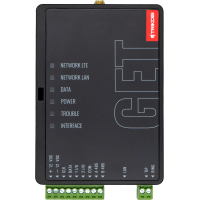
Check the product page of any direct-connection communicator — e.g. E16, G16, GT, GT+, GET: if your panel's model is on the supported list, we strongly recommend that one. In every other case, choose the telephone-line (TIP/RING) version. Pick the communication type (4G / Ethernet) based on what's available on site.
Yes, using the TrikdisConfig programming software (via USB or remotely). The latest firmware is recommended for the best compatibility and security.
Yes: Protegus 2 can be tried on a live demo system, without installation or purchase — from a browser and from the mobile app too. This lets you see in advance what arming, notifications, and system status look like on a working alarm system.
Protegus 2 typically retains the event list for up to two months; with a large volume of events, this period may shorten to as little as one month.
The AUX power output of the Paradox SP4000 alarm panel has limited load capacity. In certain cases — whether using a dedicated or a universal TRIKDIS communicator — the communicator's current draw can place too much load on the AUX output. As a result, the communicator may become unstable, restart, or fail to operate correctly.
Experience shows that the problem is usually solved by powering the TRIKDIS communicator directly from the alarm panel's battery terminals (+/-) instead of from the AUX output. This provides a stable power supply and eliminates the restart or operational issues.
Note: Before changing the wiring, always check that the system complies with the manufacturer's specifications and that the total load on the power supply does not exceed the permitted value.
The Trikdis communicator reads the codes from the panel at start-up, so it only knows the codes that existed at that moment. If codes are changed in the Paradox panel, the Trikdis device must be restarted — for example by disconnecting and reconnecting its terminal block.
After restarting, the device reads the current codes and the new code works in the app as well.
Not for Paradox devices: Paradox's own tools, e.g. Babyware, IP150, IP180, work with a locked serial port as well. Unlocking the serial port is only needed when connecting a third-party device — such as a Trikdis communicator.
Yes. On the DSC data bus the Trikdis device plays a mostly passive, listening role. If many other devices communicate on the bus — typically keypads and expander modules — the Trikdis device may not “get a word in”: it may fail to read system data and may be unable to send control commands (such as partition arming).
The issue does not occur in every installation, but above 3–4 keypads or expander modules the likelihood increases — worth considering during the site survey.
For such cases we recommend the universal version that connects to the phone-line (TIP/RING) input: the E16T or the G16T. On the GT, GT+ and GET the connection mode can be switched inside the device, so where possible we recommend these for such installations.
For decades, alarm panels reported events to the monitoring station over the fixed telephone network: the telephone dialler built into the panel “made calls” in a standard format — typically Contact ID (CID). It became such a universal standard that the TIP/RING connection is still present in almost every panel from every manufacturer, including the newest ones.
The fixed telephone line is disappearing, but the connector has found a new life: a modern communicator (such as the Trikdis E16T or G16T), wired to the TIP/RING terminals, “presents” a telephone line to the panel — providing line voltage and a dial tone. The panel believes it is calling the monitoring station; in reality the communicator answers the call, decodes the Contact ID message and forwards the event over the internet or the mobile network to the monitoring station and the Protegus 2 app.
The great advantage of this solution is brand independence: it works with practically any panel — even decades old — that has a telephone dialler, with no direct bus or serial integration. That is why we call this type of device a universal communicator.
Put the communicator on a separate, isolated network or VLAN with no access to the internal LAN. Local firewall and filtering rules then cannot block its outgoing connection, and the alarm device cannot see the internal machines either. No inbound port forwarding is needed — outgoing internet access is enough.
The symptom: the Ethernet-connected device — E16, E16T, GET or FLEXi SP3 — is on the network and gets an IP address, yet no connection is established towards Protegus 2 or the monitoring station.
Why: in most such cases the device is not at fault; the local network simply will not let it out. On company and institutional networks this is caused by a firewall rule, a content filter, a proxy, MAC filtering or a strict VLAN policy. In our experience this happens almost exclusively on closed corporate networks — but there we have run into it several times already.
The recommended solution: put the communicator on a separate, isolated network or VLAN with no access to the internal LAN. This solves two things at once:
- the internal network's rules do not interfere with the communicator's outgoing traffic;
- it is also the right arrangement from a security point of view: the alarm device cannot see the internal machines, and a possible infection of the internal network cannot reach the communicator.
What the device needs:
- outgoing internet access, without filtering;
- DHCP, or with a fixed IP address the correct gateway and DNS;
- no inbound port forwarding is required — the communicator establishes the connection outwards itself.
If a separate VLAN is not possible: on the firewall, exclude the device's IP address from content filtering and from the proxy, and allow its outgoing traffic without restrictions.
And keep in mind: a communicator has two separate connections — one towards the alarm panel (bus or TIP/RING) and one outwards (Ethernet or SIM). This fault affects the outward side; communication with the panel may well be working.
On many switches, loop protection (loop detection) for some reason detects the E16 as a loop and blocks its port. It is a common, known issue, not a cable or configuration fault. On a managed switch, turn off loop protection on that port. On an unmanaged switch it cannot be turned off, so the communicator has to be connected to a managed switch or a router.
The symptom: the E16 is connected to a switch, the cable is fine, yet it gets no IP address and reaches neither Protegus 2 nor the monitoring station. On a managed switch the interface shows the port as "loop detected" or "blocked". The same can happen with the other Ethernet communicators (GET, FLEXi SP3).
Why: many switches have loop protection (called loop detection, loop prevention, loop guard or loopback detection) — not only managed ones but simple unmanaged ones too. For some reason the switch detects the E16 as a loop and blocks its port. It is a common, known issue, not a fault of the device, the cable or the settings.
The solution:
- Managed switch: log in to its management interface and turn off loop protection on the port the communicator is connected to; if the port stays blocked, re-enable it.
- Unmanaged switch: loop protection cannot be turned off on it. Connect the communicator to a router or a managed switch and turn off loop protection there on the communicator's port.
Nothing needs to be changed on the communicator itself. If the port is not blocked and the communicator gets an IP address but still cannot reach the internet, see the question about closed corporate networks.
The Starlink router may block the E16's communication, and since it is not manageable, this cannot be resolved on it. Turn on Bypass Mode in the Starlink app and connect the E16 to your own router (for example TP-Link) that is connected to Starlink.
The symptom: the E16 is connected to Starlink internet through the Starlink router, yet it cannot reach the monitoring station. The TROUBLE LED blinks 6 times, which according to the manufacturer's manual means there is no connection with the monitoring station's receiver.
Why: the Starlink router may block the communicator's traffic. The Starlink router is not manageable, so this cannot be resolved on it. The solution is to take the Starlink router out of the path and let your own router manage the network.
The solution:
- In the Starlink app settings, turn on Bypass Mode (Settings → Bypass Mode). It roughly corresponds to the bridge mode familiar from modems: the Starlink router switches off, its WiFi is disabled too, and from then on your own router manages the network.
- Connect the WAN port of your own router (for example TP-Link) to Starlink, with the WAN set to DHCP. How to connect differs by Starlink kit (some need the Starlink Ethernet Adapter); Starlink support describes it kit by kit.
- Connect the E16 to one of the LAN ports of your own router. If the E16 has a fixed IP address, adjust it to your router's address range (gateway, DNS); with DHCP it gets an address automatically.
Note: according to Starlink, Bypass Mode can only be turned off by a factory reset of the Starlink router.
If the connection still fails behind your own router, also see the questions about switch loop protection and closed corporate networks.